 The 2D View Window
The 2D View WindowThis is used for viewing and editing the project in the following 5 projected views: Top, front, right, left or rear.
View display is independent of the current inspector. Example: In the Perspectives inspector, you can edit lights in 2D View without activating the Lights inspector.
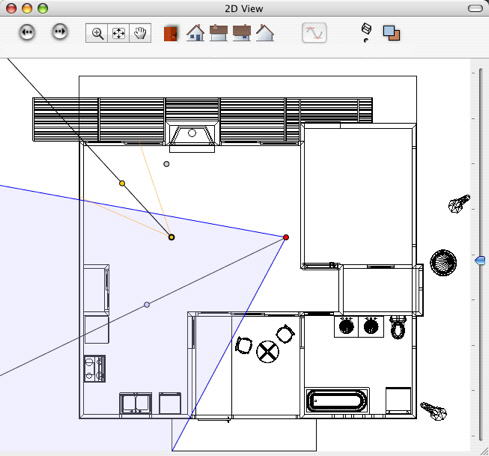
Right clicking on the element you wish to edit displays a pop-up menu for the current operations: Duplicate, Delete, Attribute To, etc. These are performed in real time in the Preview window and in the relevant inspectors.
 Example: Editing a viewpoint.

|
Artlantis User Guide : The Artlantis Studio 2D View Window |
© 2008 Abvent www.artlantis.com |