 Step 1 - Setting the Axis Tags in 2D View
Step 1 - Setting the Axis Tags in 2D ViewSetting the orthonormal marker on the geometry is performed in 2 steps in top view and in another view. If needed, in the top view, pivoting one of the red or green axes will rotate the marker on the origine.
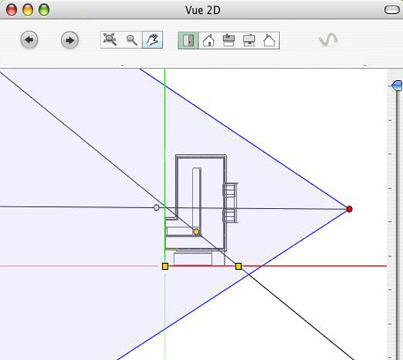
The changes made to the axes in 2D View are not updated in the Preview window. This is why we must also set the marker in this window. See step 2.
|
Artlantis User Guide : Step 1 - Setting the Markers in 2D View |
© 2008 Abvent www.artlantis.com |