 5 - The Perspectives Inspector
5 - The Perspectives Inspector
Manages the viewpoints defined by a camera, an aim point and a focus distance. Each viewpoint is considered to be an autonomous document with its own parameters which can receive its own environment:
 Viewpoints List: for handling viewpoints displayed on the list.
|
|
|
- Applies effects to the current viewpoint: The effects combine into, as well as among the parameters set in the inspector.
- Prepares the document for final rendering.
|
Artlantis User Guide : The Perspective Inspector |
© 2008 Abvent www.artlantis.com |
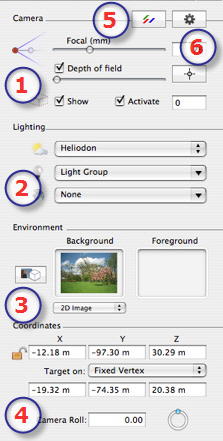
 then, in the Preview window, click to define the net point of the scene, with the rest remaining blurred. The cursor adjusts the blur quantity.
 to open the dialog
 locks them and clicking on
  unlocks them.
 See Also