 General Information
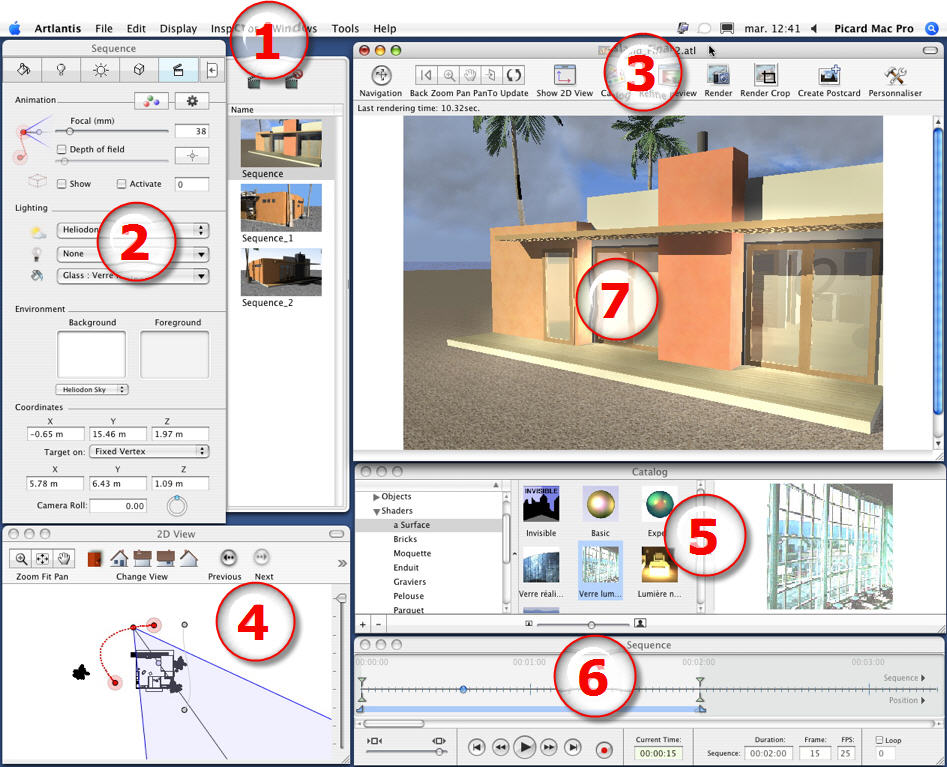
General InformationBy default, the Artlantis menu bar, the inspector navigation palette and the Preview window appear when the program is started up.
The following other elements can be called up: General Preferences, the 2D View window, the Media Catalog, the Timeline and the Batch Rendering window.
Place the cursor over the palettes and window commands to display pop-up help bullets.
General information on drag/drop: This can be used to drag/drop objects, Shaders, textures, background images from the catalog or directly from the hard drive to the Preview window.
|
Artlantis User Guide : Artlantis Studio General Information |
© 2008 Abvent www.artlantis.com |
