 The Timeline Window
The Timeline Window
Animation work is done using the Animations, Lights, Heliodons or Objects and the 2D View, Preview window and the Timeline window.
The timeline enables the user to record, edit and play a scene. The scene is made up of sequences that are managed in the Animations Inspector list.
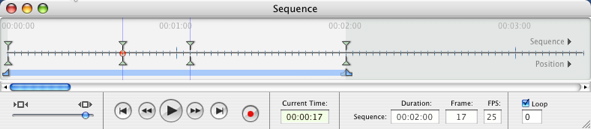
Activating the Animations inspector displays the Timeline window.
If the Timeline window closes again, click on the Animations inspector icon or go to Windows > Timeline.
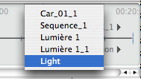
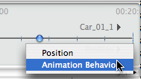
Artlantis animates practically all commands relating to the inspectors:
Begin as follows to animate the parameters for cameras, lights, heliodons, objects and animated textures:
 Note: The Timeline window will remain open to enable you to edit animation times.
NB: In 2D View, the Timeline and the appropriate inspector must remain open in order to create and edit animated paths for lights, objects or cameras.
|
Artlantis User Guide : The Timeline Window |
© 2008 Abvent www.artlantis.com |
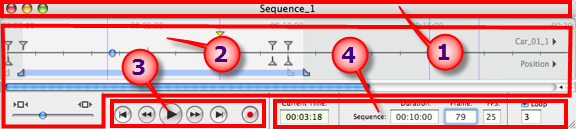
 Title bar
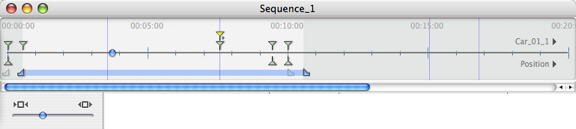
 Enables the user to show the entire scene or focus on just a portion of it.
  and end
  pins.
pins. 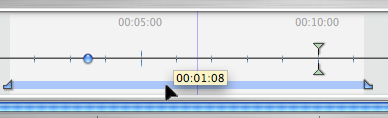



 or stops
  the recording.
 indicates the cursor's current position in the time scale. Expressed in: minutes: seconds: image number. Entering a value updates the position of the cursor. Dragging the cursor updates the scene time again.
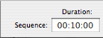 indicates the duration of the sequence between the start and end pins. Expressed in: minutes: seconds: image number. Entering a value updates the position of the end pin. Dragging the pins update the sequence duration.
 Example:
  displays the number of the current image. Entering a value positions the cursor on the time line.
 . Entering a value updates the number of images played.
 . Type in a value to specify the number of loops.
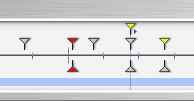 appear as colored guides distributed throughout the time scale.
  serve as visual markers for synchronizing animated parameters.